Beelieve
The Game
A cozy gardening game where you grow flowers and fruits in your greenhouse with 2-3 bees roaming at all times. Budding plants attract native bees, which help pollinate the plants into flowers. Sell your fully grown plants to make room for more! The goal is to discover and collect as many native bee types as possible, which you can view at any time via the dataBEEs. Hopefully you'll learn a thing or two about the Honey, Bumble, Carpenter, Leafcutter, and Blue Mason bees!
How to Play
There are three main objectives:
- Decorate the greenhouse with plants
- Sell as many fully grown plants as possible/gain coins
- “Collect” bees by adding them to dataBEEs
Which path do you plan to take? Screenshot your game with your lively greenhouse, insane coin balance, or large bee collection in the comments below!
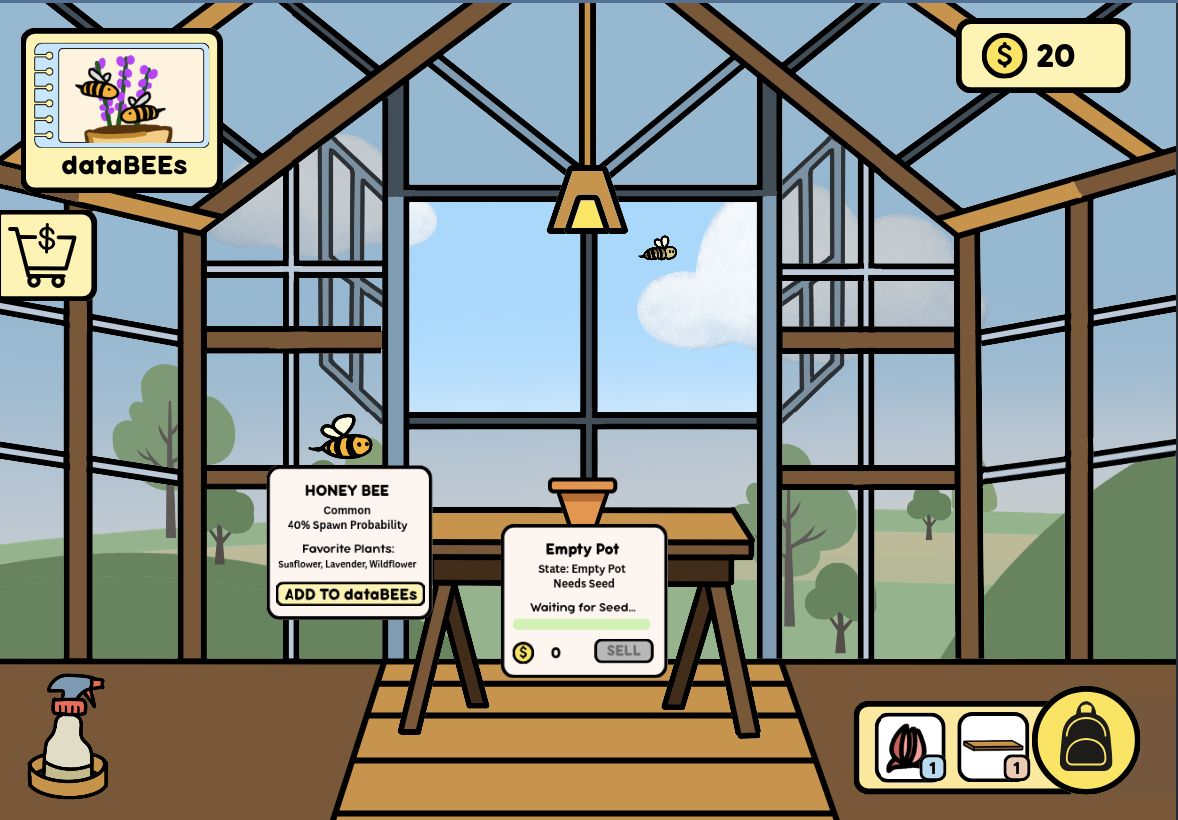
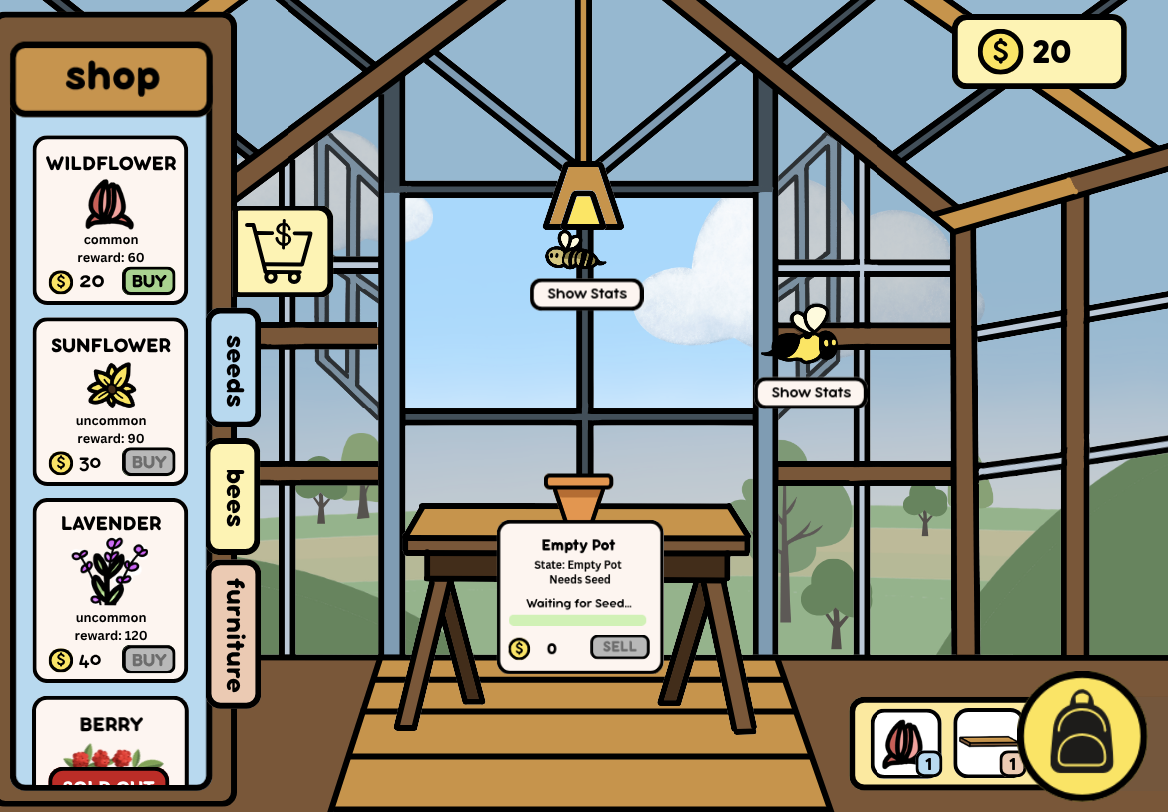
You begin with one shelf and one seed, as well as a pre-placed pot on the middle table and 20 coins. Open the shop tab on the left to buy new seeds and furniture for the greenhouse! By adding pots, planting seeds, and watering plants, you begin to attract the bees flying around the greenhouse to pollinate mature plants, allowing them to grow into their final form. Click sell at any point during this process to begin again! Oh, and you can grow multiple plants at a time. The world is your oyster!
Controls
Click, move, drag. That’s it!
Gameplay Details
By clicking on a bee, you can toggle its stats and add that bee to the dataBEEs.
By clicking on a plant, you can toggle its details. If you are holding a seed or watering spray while click/holding on a plant pot, you may plant/water it depending on its state.
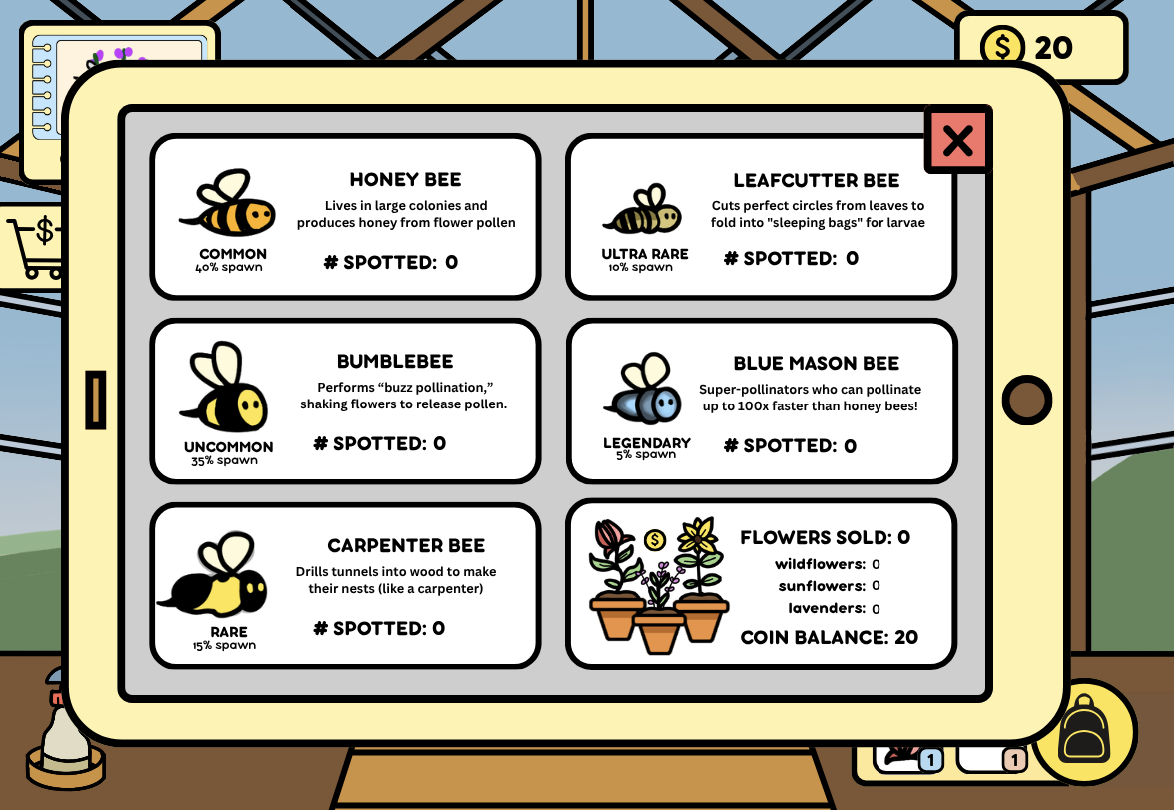
By clicking on dataBEEs, you can view stats: number of “collected” bees of each kind, of successfully sold flowered plants, and current coin balance.
Plant States (Flower):
- Empty Pot
- Seed
- Sprout
- Seedling
- Budding
- Flowered
Bee Rarities:
- Honey Bee (Common, 40%)
- Bumblebee (Uncommon, 35%)
- Carpenter Bee (Rare, 15%)
- Leafcutter Bee (Ultra Rare, 10%)
- Blue Mason Bee (Legendary, 5%)
Controls Details
Buying from shop:
- Click on shop to toggle open/close
- Click on seeds/bees/furniture to display different categories
- Click buy to buy (removes coins from balance, adds to inventory/backpack)
Adding from/returning to inventory:
- Click on backpack icon to toggle inventory open
- Click on inventory icon to add to your mouse
- click on a plus sign to add to scene
- click on anywhere else or backpack to return to backpack
DataBEEs:
- Click on DataBEEs button to open
- Click X mark/close button to close
Water Spray:
- Click on spray to hold
- Click and hold on pot that needs watering to water
- Click on watering spray holder or general left corner vicinity to return to holder
Plant Seed:
- Click on seed from inventory
- Click and hold on empty pot to add to pot
Plant:
- Click on pot to toggle details (only closes if you are not currently doing anything to it)
- Click “sell” to sell
Bee:
- Click on bee to show details
- Click “add to dataBEEs” to count toward total collected bees
Comments
Log in with itch.io to leave a comment.
cannot buy anything after making first purchase. Unsure if buying seeds before selling the first flower and going to 0 coins softlocks you, or if the shop doesnt read the increase in coins